Physical Address
304 North Cardinal St.
Dorchester Center, MA 02124
Physical Address
304 North Cardinal St.
Dorchester Center, MA 02124
Last Updated: March 2026 | Category: Hosting | Affiliate Disclosure: This post contains affiliate links. If you buy through our links, we may earn a commission at no extra cost to you.
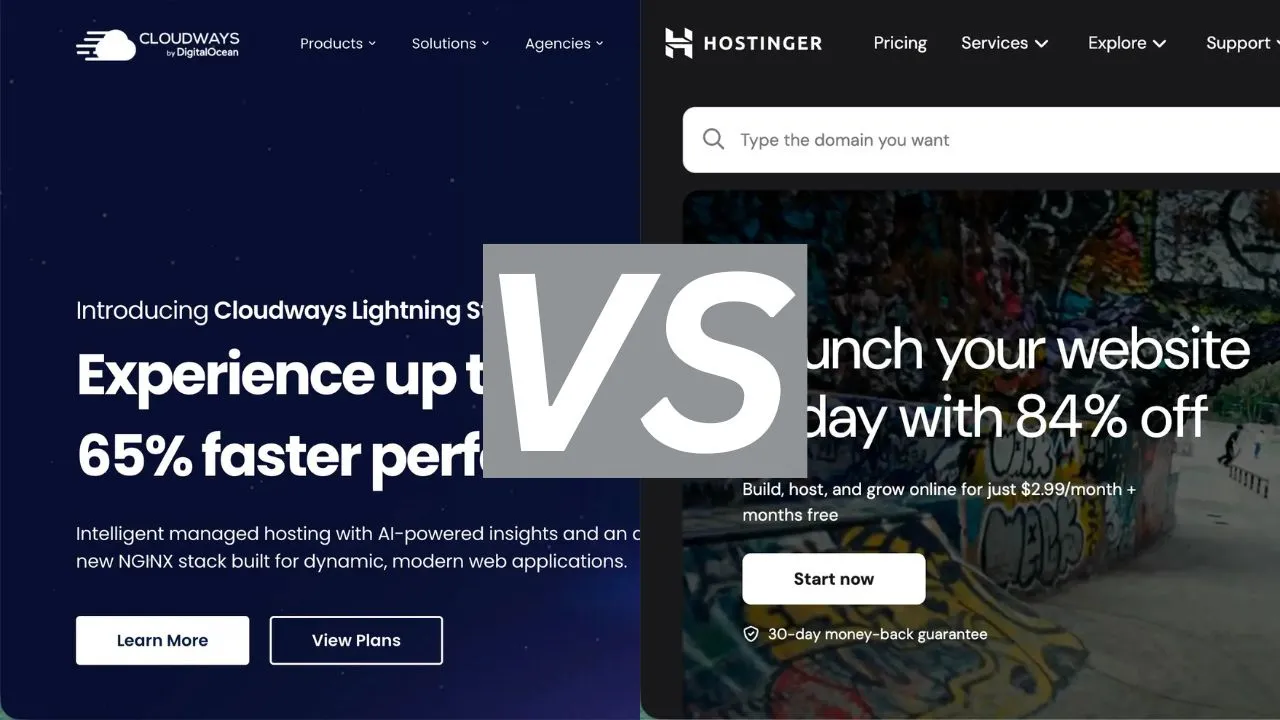
Choosing the wrong web host can cost you traffic, money, and hours of frustration. So when it comes to Cloudways vs Hostinger, which one actually deserves your hard-earned cash in 2026?
I’ve compared both platforms across pricing, performance, ease of use, and support — so you can make a clear decision based on your actual needs.
Here’s the short answer:
| Choose Hostinger if you’re a beginner or on a tight budget. Choose Cloudways if you want faster performance and you’re serious about scaling your website. |
|---|
| Feature | Cloudways | Hostinger |
|---|---|---|
| Starting Price | $11/month | From $1.99/month |
| Hosting Type | Managed Cloud Hosting | Shared / Cloud Hosting |
| Ease of Use | Moderate (tech-friendly) | Beginner-friendly |
| Performance | Excellent (dedicated resources) | Good for shared hosting |
| Free Domain | No | Yes (on annual plans) |
| Free SSL | Yes | Yes |
| Free Migration | 1 free migration | Unlimited free migrations |
| Staging Environment | Yes | Yes (Business+ plans) |
| Support | 24/7 Live Chat + Tickets | 24/7 Live Chat |
| Money-Back Guarantee | 3-day free trial | 30-day money-back |
| Best For | Growing sites, agencies | Beginners, budget buyers |

Cloudways is a managed cloud hosting platform that sits on top of major cloud providers like DigitalOcean, Vultr, AWS, and Google Cloud. Instead of managing servers yourself, Cloudways handles all the technical heavy lifting — security patches, backups, caching — while you focus on your website.
It’s owned by DigitalOcean (acquired in 2022) and trusted by over 100,000 businesses worldwide. Pricing starts at $11/month using the DigitalOcean 1GB plan, with pay-as-you-go billing so you only pay for what you use.
Key benefits: Dedicated cloud resources, scalable on demand, free daily backups, staging environments, and a 3-day free trial with no credit card required.
Hostinger is one of the world’s most popular web hosts, serving over 29 million websites in 178 countries. It built its reputation on extremely affordable shared hosting — plans start from as little as $1.99/month on a 48-month term.
In recent years, Hostinger has added AI-powered website building tools, managed WordPress hosting, and cloud hosting options to compete with higher-end providers. It’s known for being beginner-friendly with a clean dashboard and straightforward setup.
Key benefits: Ultra-affordable pricing, free domain on annual plans, unlimited free migrations, 30-day money-back guarantee, and one of the easiest control panels for beginners.
Hostinger uses a traditional tiered shared hosting model with heavily discounted intro prices:
| Plan | Intro Price | Best For |
|---|---|---|
| Premium | From $1.99/mo (48-month) | 1 website, personal blog |
| Business | From $2.99/mo (48-month) | Growing site, e-commerce |
| Cloud Startup | From $9.99/mo (48-month) | High-traffic sites |
| ⚠️ Important: Hostinger’s renewal prices are significantly higher than intro prices — up to 234% more. Always check the renewal rate before committing. |
|---|
Cloudways uses a pay-as-you-go model based on your chosen cloud provider and server size:
| Provider | Starting Price | Best For |
|---|---|---|
| DigitalOcean | $11/month (1GB RAM) | Blogs, small sites |
| Vultr | $14/month (1GB RAM) | CPU-intensive sites |
| Linode (Akamai) | $14/month (1GB RAM) | Stable, low-latency sites |
| AWS | From $38.56/month | Enterprise, large scale |
| Google Cloud | From $37.33/month | Enterprise, global reach |
| ✅ Cloudways has no surprise renewal price increases. What you pay in month one is what you pay in month twelve — a big advantage for long-term budgeting. |
|---|
Verdict: Hostinger wins on intro price. Cloudways wins on price transparency and long-term value.
Performance is where these two hosts diverge the most.
Cloudways gives each website dedicated cloud server resources — your RAM, CPU, and storage are not shared with other users. Combined with built-in server-level caching (via Breeze), Cloudflare integration, and NVMe SSD storage, Cloudways consistently delivers fast load times even under heavy traffic.
Hostinger, on its shared plans, puts multiple websites on the same server. This is fine for low-traffic sites, but performance can suffer when your neighbours have a traffic spike. Hostinger does use LiteSpeed servers on all plans (which is fast for shared hosting), and its Business plan includes a CDN.
Verdict: Cloudways wins clearly on performance. For a serious website or online business, the speed difference is noticeable.
This is where Hostinger has a clear edge for beginners.
Hostinger’s hPanel control panel is designed for people who have never set up a website before. Installing WordPress takes one click, and the new AI website builder makes launching a site even faster. Everything is clearly labeled and intuitive.
Cloudways has a steeper learning curve. You need to choose a cloud provider, select a server size, and understand concepts like server management, SSH, and staging environments. It’s not overly complex, but it requires more technical confidence than Hostinger.
Verdict: Hostinger wins for beginners. Cloudways is better suited to users who are comfortable with slightly more technical setups.
Both hosts offer 24/7 live chat support. However, the quality and depth differ:
Verdict: Cloudways edges ahead for technical support depth. Hostinger is adequate for most beginner needs.
| If you’re starting from scratch and want the cheapest option with the simplest setup → Go with Hostinger.If you’re ready to invest in proper performance, scalability, and you want hosting that grows with you → Go with Cloudways. |
|---|
Both are excellent choices within their categories. The mistake is using the wrong one for your stage. A new blogger on Cloudways pays more than necessary. A growing online business on Hostinger shared hosting will hit a performance ceiling.
Match the host to where you are right now — and upgrade as you grow.
| Host | Best Deal | Action |
|---|---|---|
| Hostinger | From $1.99/month + free domain | 👉 Try Hostinger (40% commission) |
| Cloudways | 3-day free trial, from $11/month | 👉 Try Cloudways (lifetime recurring) |
Cloudways is better for performance, scalability, and serious websites. Hostinger is better for beginners and budget-conscious users. Neither is objectively ‘better’ — it depends on your needs and budget.
Yes. Cloudways offers one free website migration for new customers, and also provides a free WordPress migration plugin. The process typically takes under an hour.
Cloudways does not have a permanent free plan, but offers a 3-day free trial with no credit card required. Plans start at $11/month.
Yes. Hostinger has a managed WordPress hosting plan with one-click installation, LiteSpeed cache, and automatic updates. It’s one of the best options for WordPress beginners due to its price and simplicity.
Cloudways is faster in most real-world tests due to dedicated cloud server resources. Hostinger performs well for shared hosting, but dedicated cloud resources give Cloudways a consistent speed advantage.
Affiliate Disclosure: This post contains affiliate links. XtraFive may earn a commission if you purchase through our links, at no extra cost to you. We only recommend products we believe in.